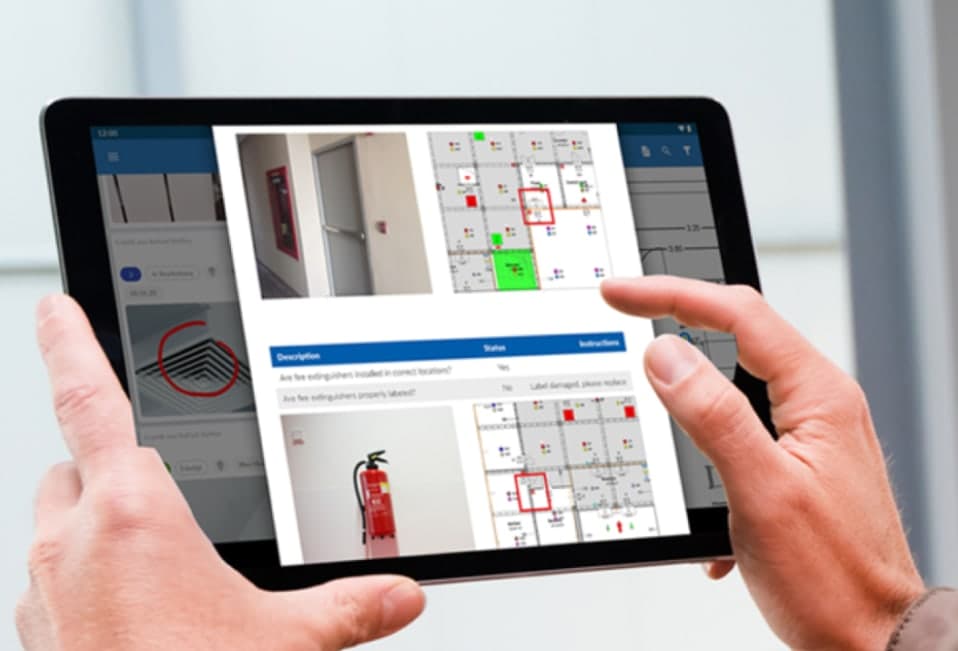
Fire protection software is usually chosen in the office, from a demo on a large screen. Whether it works is decided somewhere else: in a basement car park with no signal, on a ladder in a stairwell, or in a plant room with gloves on. If the app is slow or fiddly there, technicians go back to paper and the office ends up retyping everything.
This guide is written from the technician’s side. It covers what a fire inspection app needs to do on site, the questions to ask before you buy, and a checklist for trialling one on a real job.
Finding the right asset, fast
Most of a routine visit is moving from one asset to the next. The app should open the right extinguisher, hose reel or detector without scrolling a long list. QR tags fixed to each asset do this best: scan the tag and the asset opens, with its history and what is due. Look for continuous scanning through a run of assets, a search by code, name or location for tags that are damaged, and a way to add an asset found on site that is not in the register.
Recording results the way the standard reads
Each asset needs a clear result: pass, defect, or not applicable when there is no access. Behind that sits the AS 1851 schedule for the equipment and frequency being tested. A good app does not make technicians tick every activity on every passing device, but it does capture the detail where it matters. In traqR, a pass fills in the schedule for that device automatically, while a failure opens the schedule for that device at that frequency so the technician records exactly what failed.
Defects that someone can act on
A defect is only useful if the office can quote it and the building owner can understand it. The app should let technicians classify each defect as critical or non-critical, add notes and a recommended action, and take photos that can be marked up with arrows. Critical defects should reach the office straight away. Even better, the technician should be able to start a quote for the remedial work from the defective asset while still on site.
Working without signal
Basements, risers and plant rooms often have no reception. Ask every vendor exactly what works offline, because the answers vary. In traqR, test reports, forms, timesheets, notes and photos are saved on the phone and sent automatically when signal returns, a test in progress survives the app closing, and SWMS and custom forms are kept on the phone. Opening a new job’s details needs a connection, so it pays to open the day’s jobs before heading underground.
More than the routine test
Fire technicians do more than monthly and six-monthly routines. Check the app covers the other reports your team writes: pump flow tests, hydrostatic tests, hydrant flow, backflow, fire and smoke doors, dampers, fans, emergency lighting with timed discharge tests, EWIS, RCD and test and tag, and defect rectification. Safety paperwork matters too: a pre-start with SWMS sign-on before the work begins, and any custom forms your business uses.
Finishing the visit
At the end of the visit the technician should see a summary of what was tested and what failed, collect a signature, and submit. The report should be with the office the same day, ready to send to the client and invoice, rather than waiting in a van until Friday.
What technicians do not want
- Being tracked. Many technicians are wary of apps that report their location all day. traqR does not track live location; arrival reminders are optional and stay on the phone.
- Typing. Big buttons, quick choices and photos beat free text on a phone in a plant room.
- Lost work. A long test should never vanish because the phone rang or the app closed.
- Double handling. If a result is entered on site, nobody should have to enter it again in the office.
iPhone and Android
Check which phones your team actually carries before you choose. The traqR field app is on the App Store for iPhone now, and Android is coming to Google Play. Ask every vendor the same question, because some general trades apps offer their full feature set on iOS only.
A checklist for trialling a fire inspection app
- Give it to your most sceptical technician, not the office manager.
- Run a real routine on a real site, including a basement or plant room with poor signal.
- Scan a run of tagged assets and time how long a floor takes.
- Record a critical defect with photos and check how fast the office sees it.
- Start a quote for the defect from site.
- Finish with a signature and check the report the client will receive.
- Ask the technician whether they would use it every day, and listen to the answer.
Frequently asked questions
What is the best app for fire inspections?
The best one is the app your technicians will use on every visit. Look for QR scanning, results per asset against the AS 1851 schedule, proper defect classification with photos, reliable saving without signal and same-day reports. Trial it on a real site before you decide.
Can a fire inspection app work without signal?
Most can save some work offline, but what is covered varies. In traqR, test reports, forms, timesheets, notes and photos are saved on the phone and sent when signal returns; opening a new job’s details needs a connection.
Do fire inspection apps replace the paper logbook?
They replace the paper record of what was tested and found, with photos and signatures attached. Check whether a building you service still needs a physical logbook on site, and keep it current if it does.
Is there a fire inspection app for Android?
Several general trades apps are on Android. The traqR field app is on iPhone today, with Android coming to Google Play.