Scan it, test it, quote the defect, all without leaving the plant room.
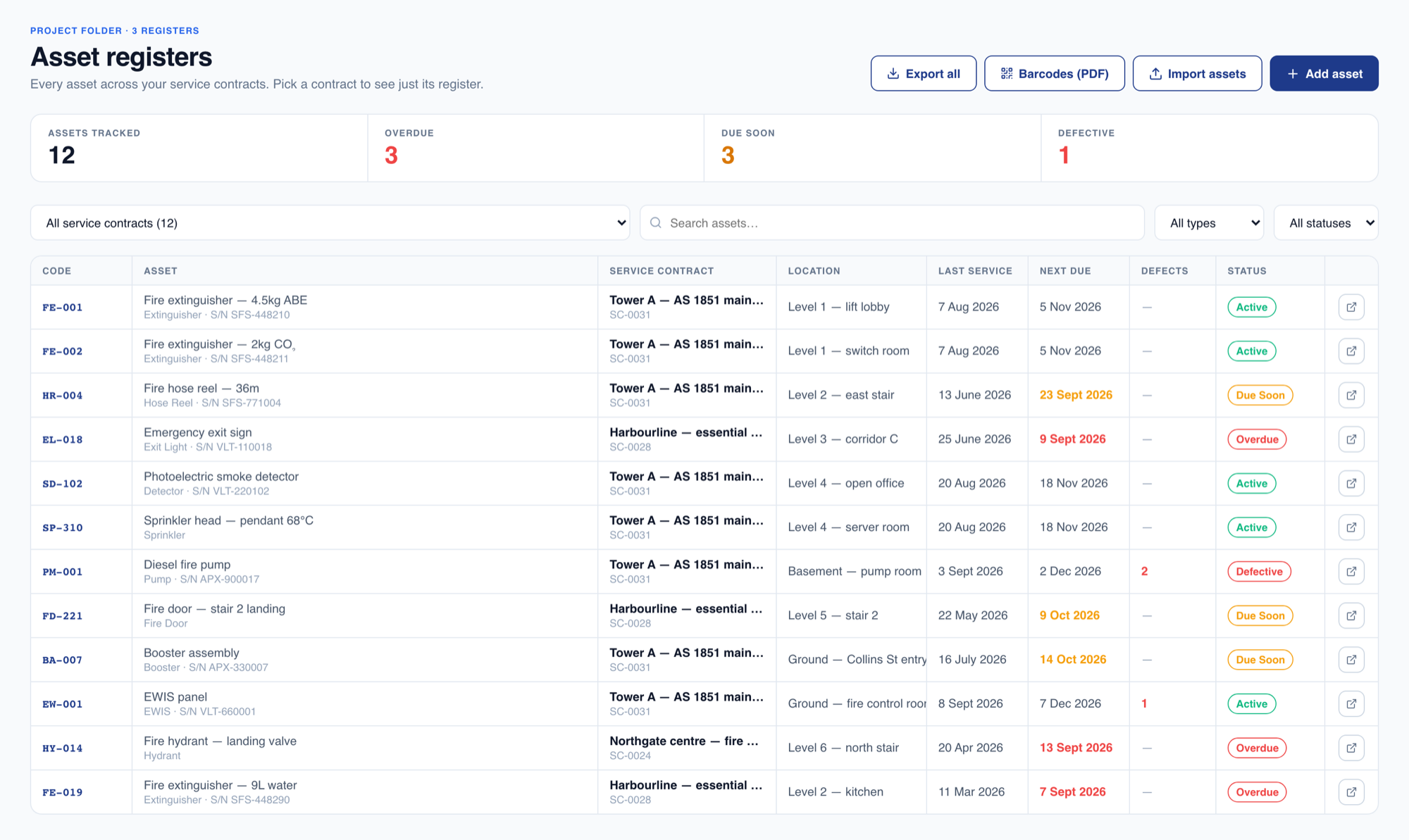
Every panel, detector, hydrant, pump and extinguisher on every site, in one register. Techs scan the asset on their phone, record pass, defect or N/A against it, attach a photo, and the register updates itself, so what is on site, when it was last serviced and what is still outstanding is never a question anyone has to go looking for.
Scan or search
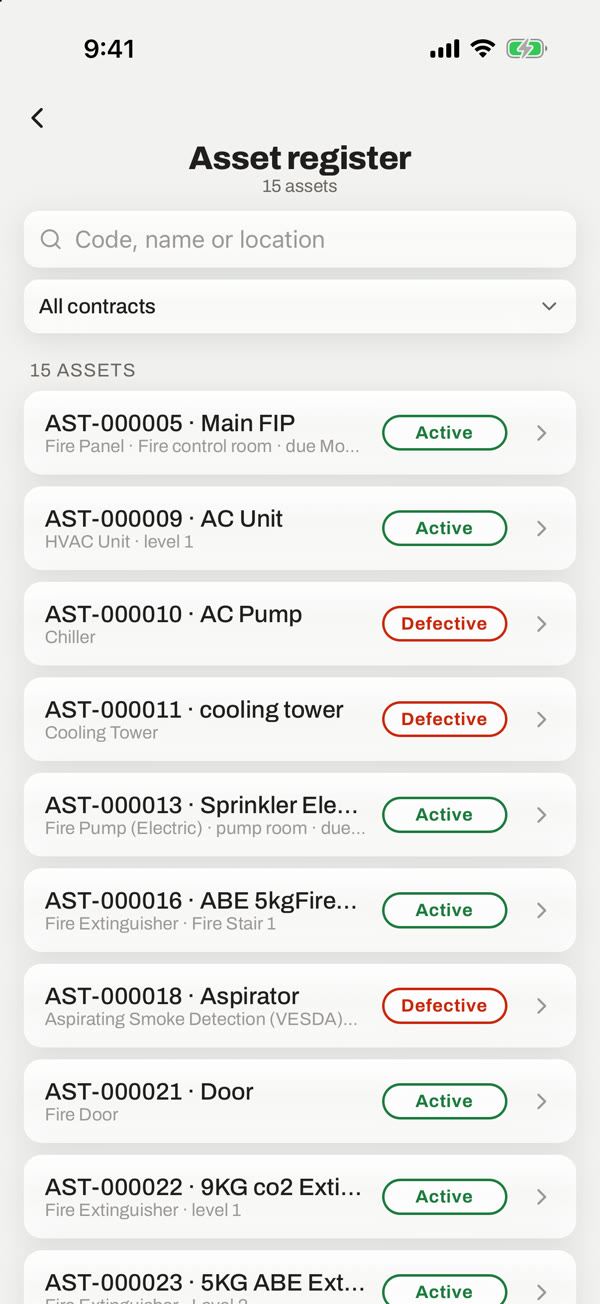
Scan the tag on the asset to open it, or find it by code, name or location. The right record every time, with no transcription.
Pass, defect or N/A
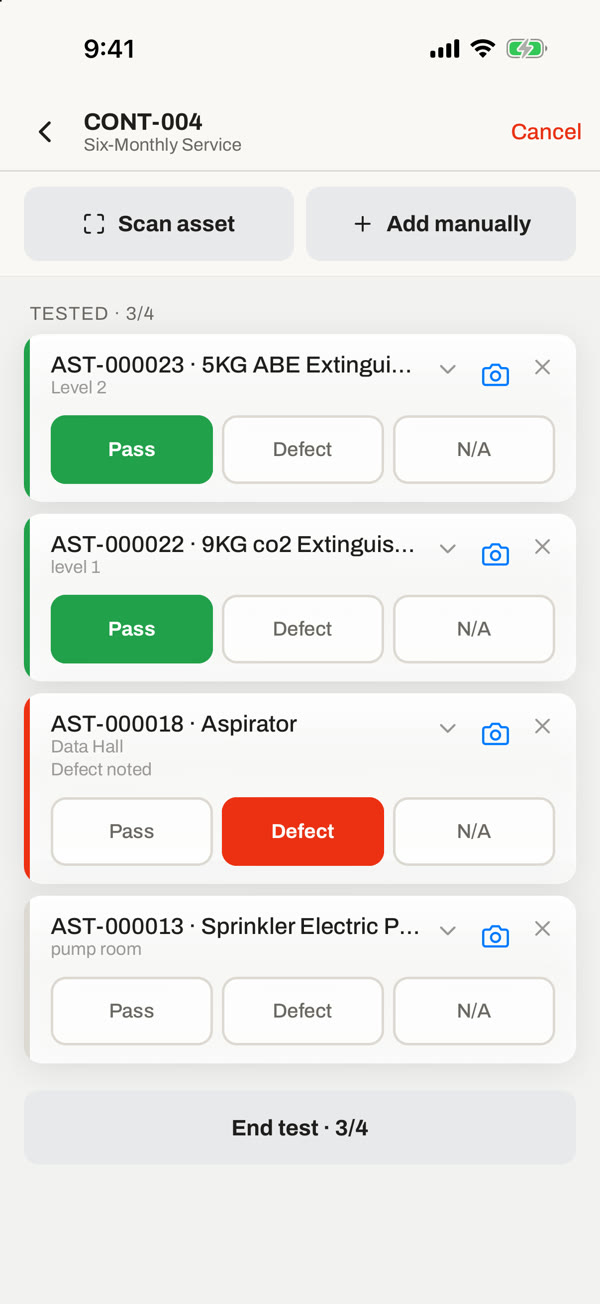
Record the result against the asset as you work, attach photos as evidence, and watch the tested count climb as you go.
Defect straight to quote
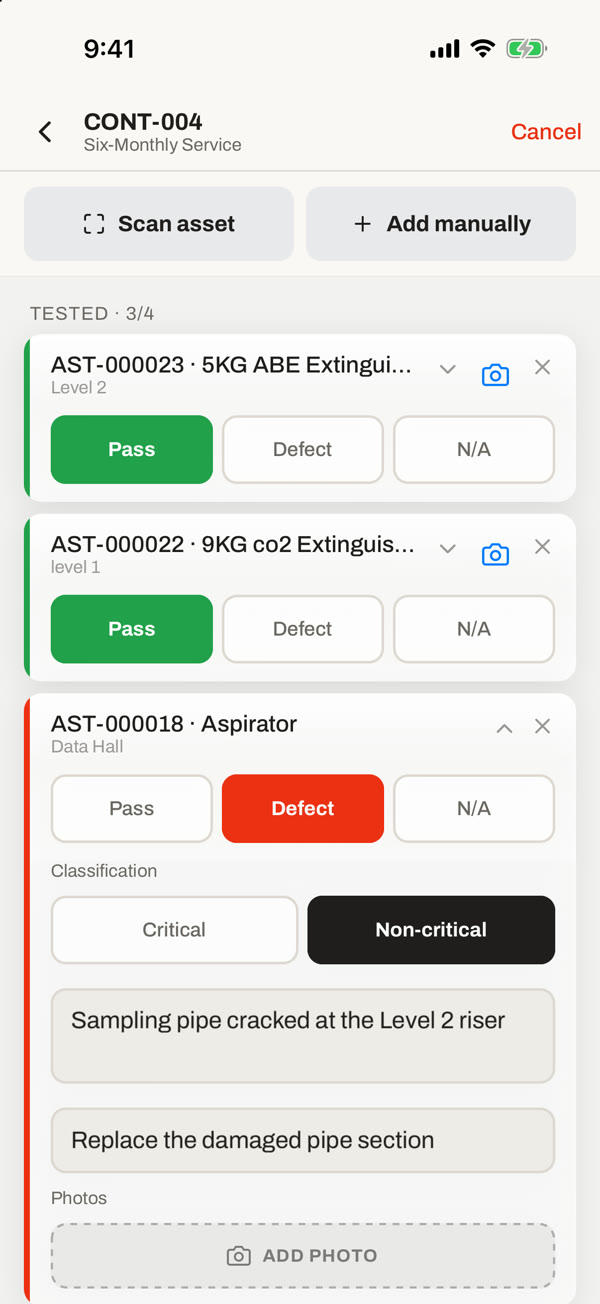
A defect flags the asset, keeps it visible on the register, and turns into a pre-filled quote for the remedial work in a tap.
One run, start to finish, on the phone
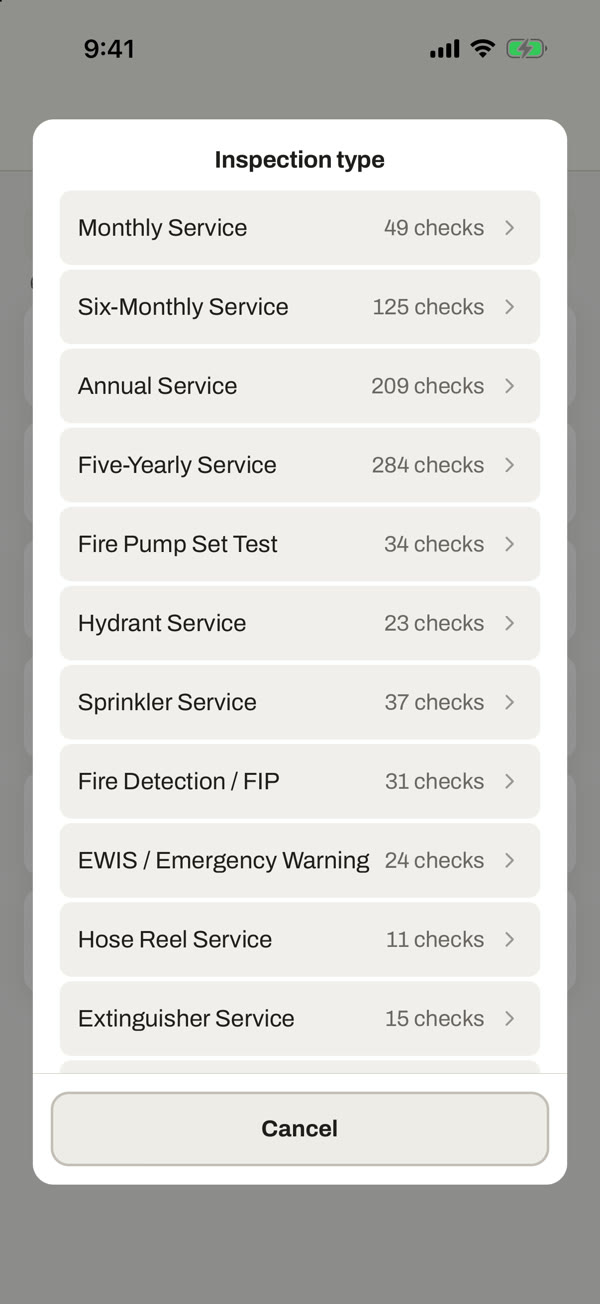
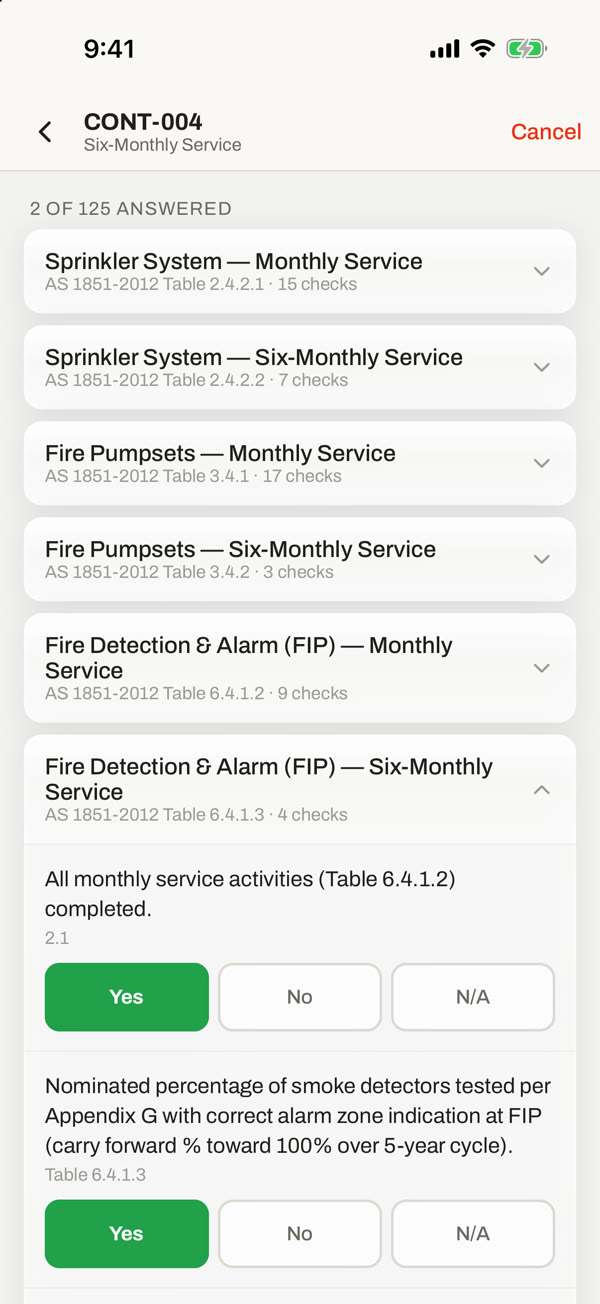
The AS 1851 service a tech works on site, step by step, from picking the service to signing it off.
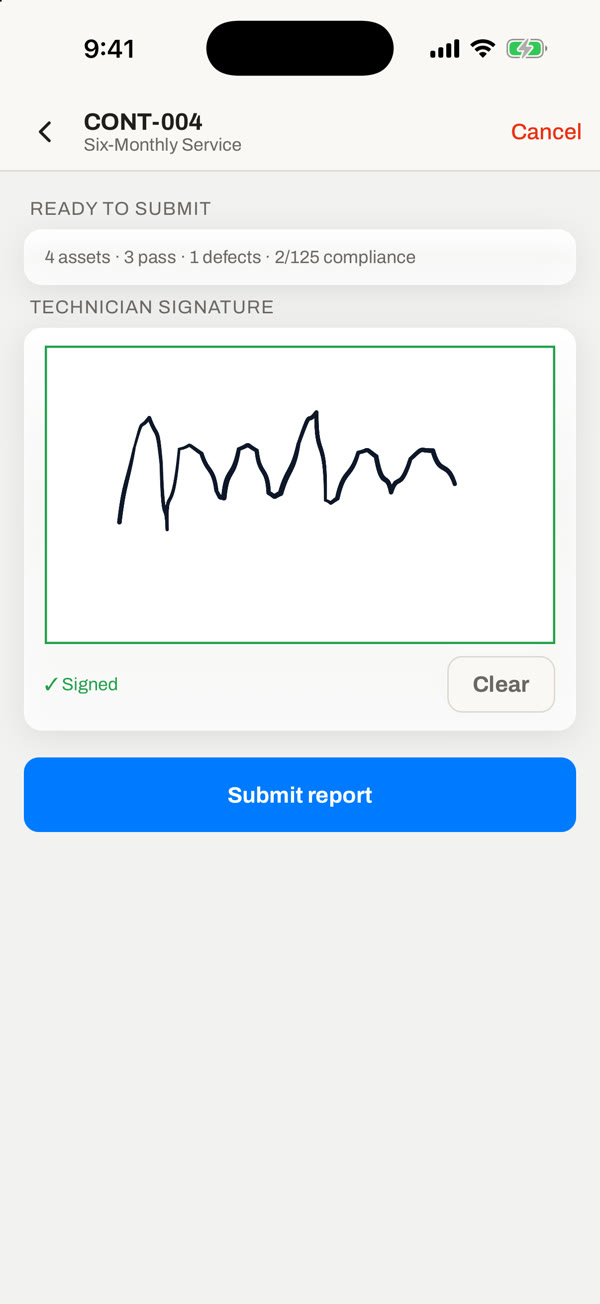

The register the run is actually done from
A register is only worth keeping if the field updates it. This one is built to be worked from on a phone, in a plant room, with the panel open in front of you.
Scan the asset, record the result
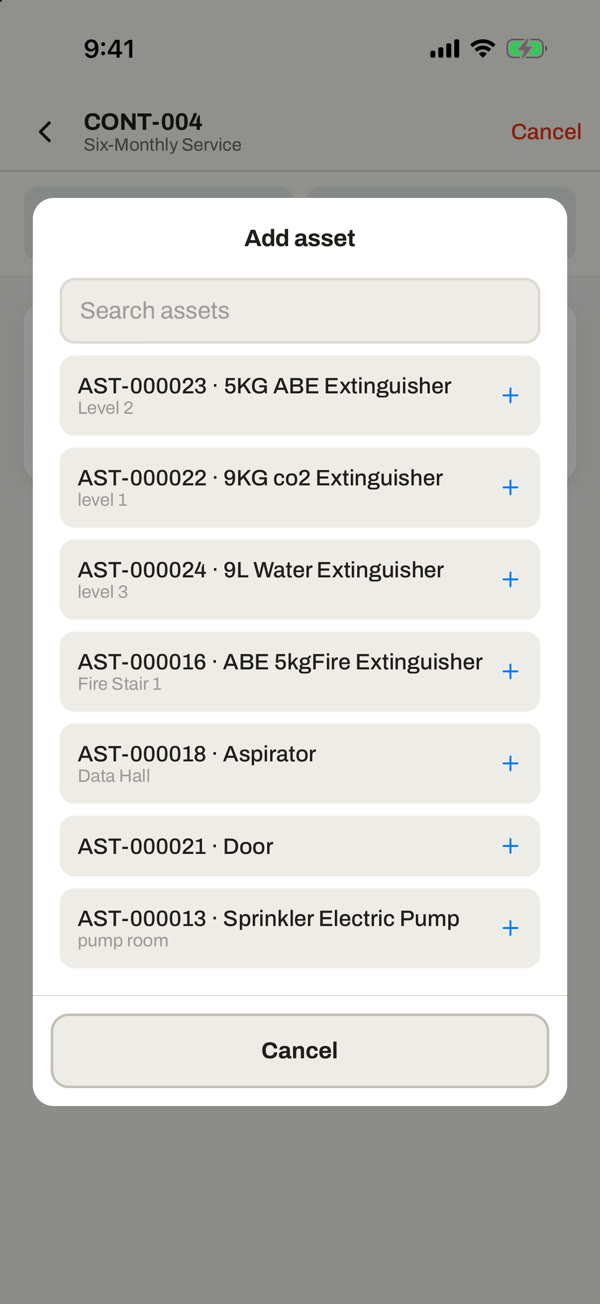
Open the service visit and the assets for that contract are waiting. Scan the tag to pull one up, or add it manually if the label has seen better days. Mark it pass, defect or N/A, attach a photo where it matters, and move to the next one. The counter tracks how many of the run you have tested so you know exactly what is left.
Point the camera at the asset tag to open the right record, rather than scrolling a list in a dark riser cupboard.
Attach photos to any result, so the condition is documented at the moment you saw it.
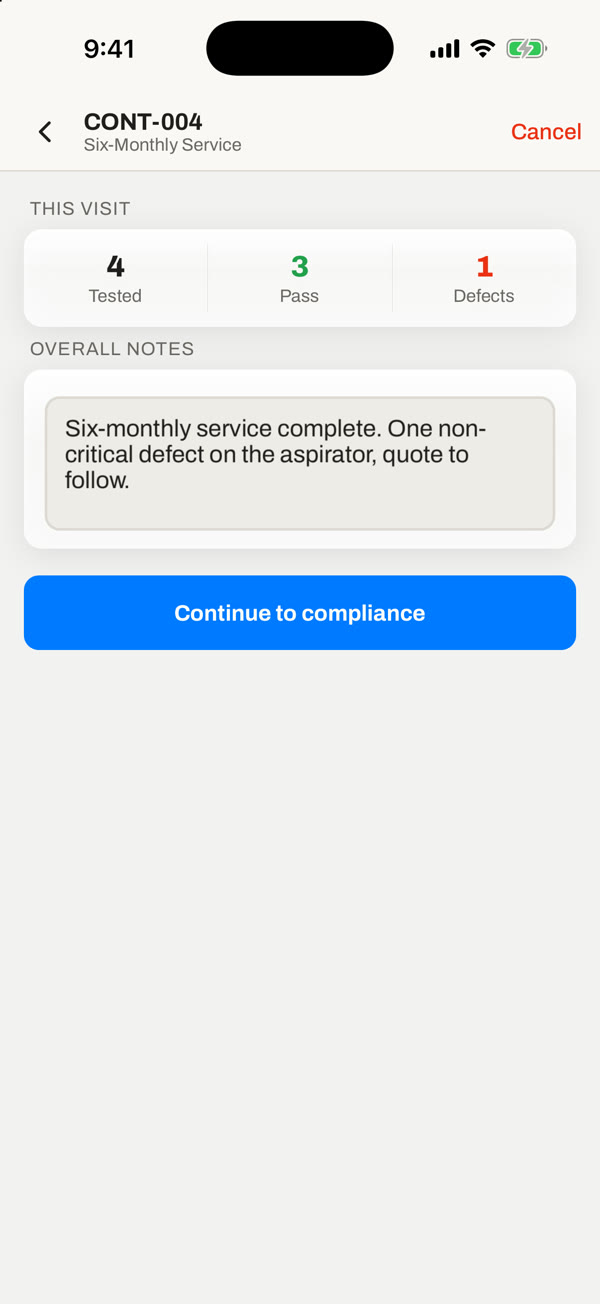
A tested count shows progress against the visit, and the visit closes out when the run is complete.